
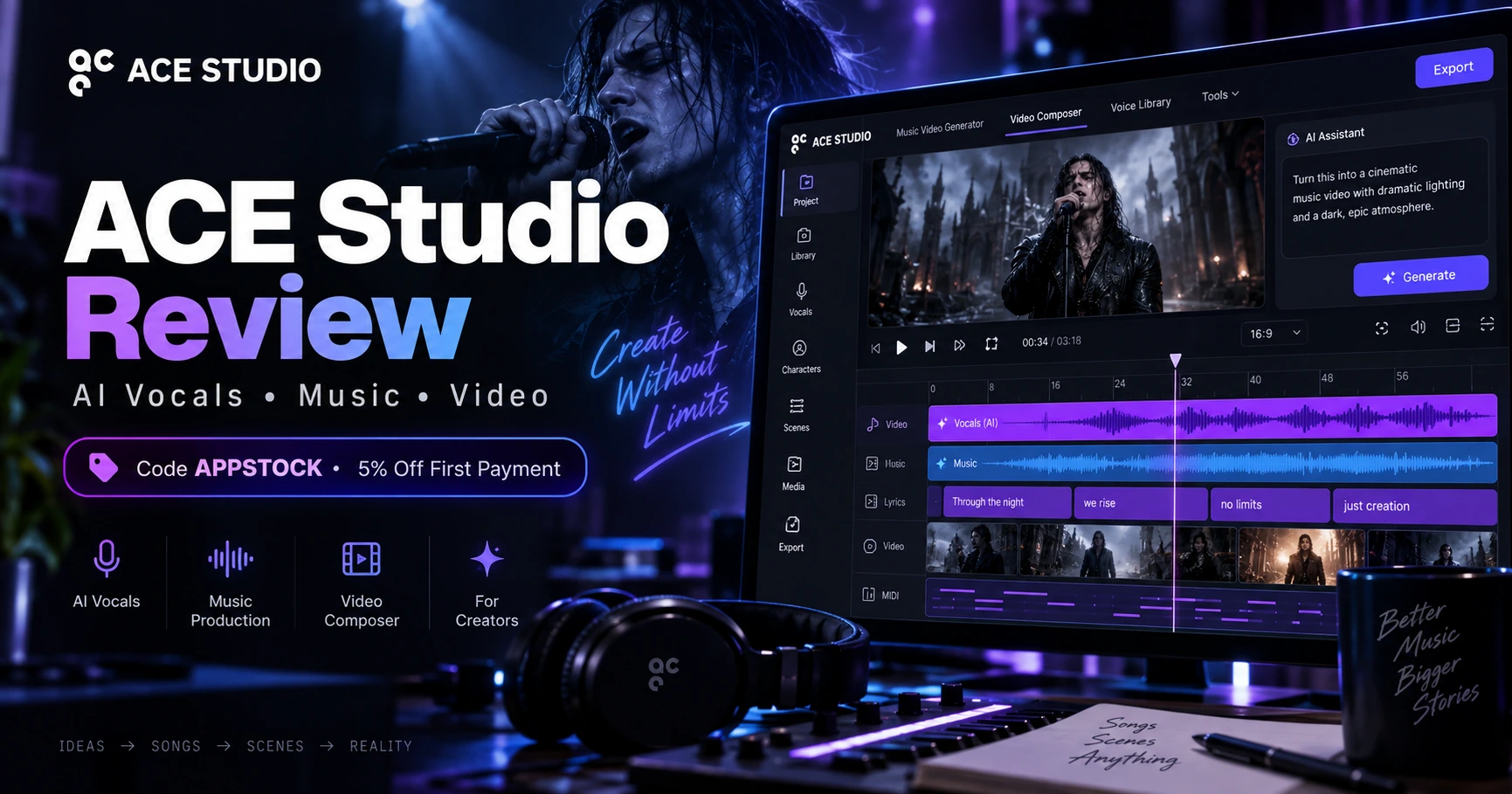
ACE Studio Review: Is It Worth It?
ACE Studio 2.0 has grown from an AI vocal workstation into a broader music-production platform with AI vocals, instruments, voice cloning, generative tools, Video Composer, a Music Video Generator, stem tools and DAW integration. This review separates the documented strengths from the pricing, credit-system and workflow tradeoffs.
ACE Studio’s strongest case is still controllable AI vocals
The broader AI music and video tools make the platform more versatile, but the clearest reason to consider ACE Studio is its combination of vocal synthesis, note-level editing and creator control.
Best fit
Producers, composers, songwriter demos, backing vocals, AI vocal arrangements, video scoring, creators and small production teams.
What ACE Studio currently includes
What stands out — and what deserves caution
What ACE Studio does well
- AI vocals are built around MIDI and lyrics, so the performance remains editable instead of being a finished black-box audio file.
- Vocal editing includes pitch, timing, articulation and expression controls, including Air, Falsetto, Tension and Energy.
- ACE Studio combines vocals, AI instruments, voice cloning, stem tools, generative features and video-audio tools in one workspace.
- ACE Bridge 2 gives producers a route back into a conventional DAW through VST3, AU or AAX.
- Most pre-made voices and all pre-made AI instruments are documented as royalty-free, with commercial-use rules clearly published.
- Independent Sound On Sound testing described the vocal synthesis as genuinely useful and found promise in the AI instrument technology.
What to know before paying
- The desktop app requires an Internet connection, even though higher-performance systems can use local Turbo Mode for faster AI rendering.
- Many generative features use monthly AI credits, and the Artist and Artist Pro plans include different credit allowances.
- Base monthly credits do not simply accumulate forever; ACE’s support documentation explains separate rollover behavior for purchased add-on credits.
- Sound On Sound’s March 2026 review said the Canvas still falls short of a fully fledged DAW.
- ACE Studio currently uses a 7-day money-back guarantee rather than a conventional limited-time desktop free trial.
- Public user feedback is polarized, especially around annual billing and the cost/clarity of credits for generative video workflows.
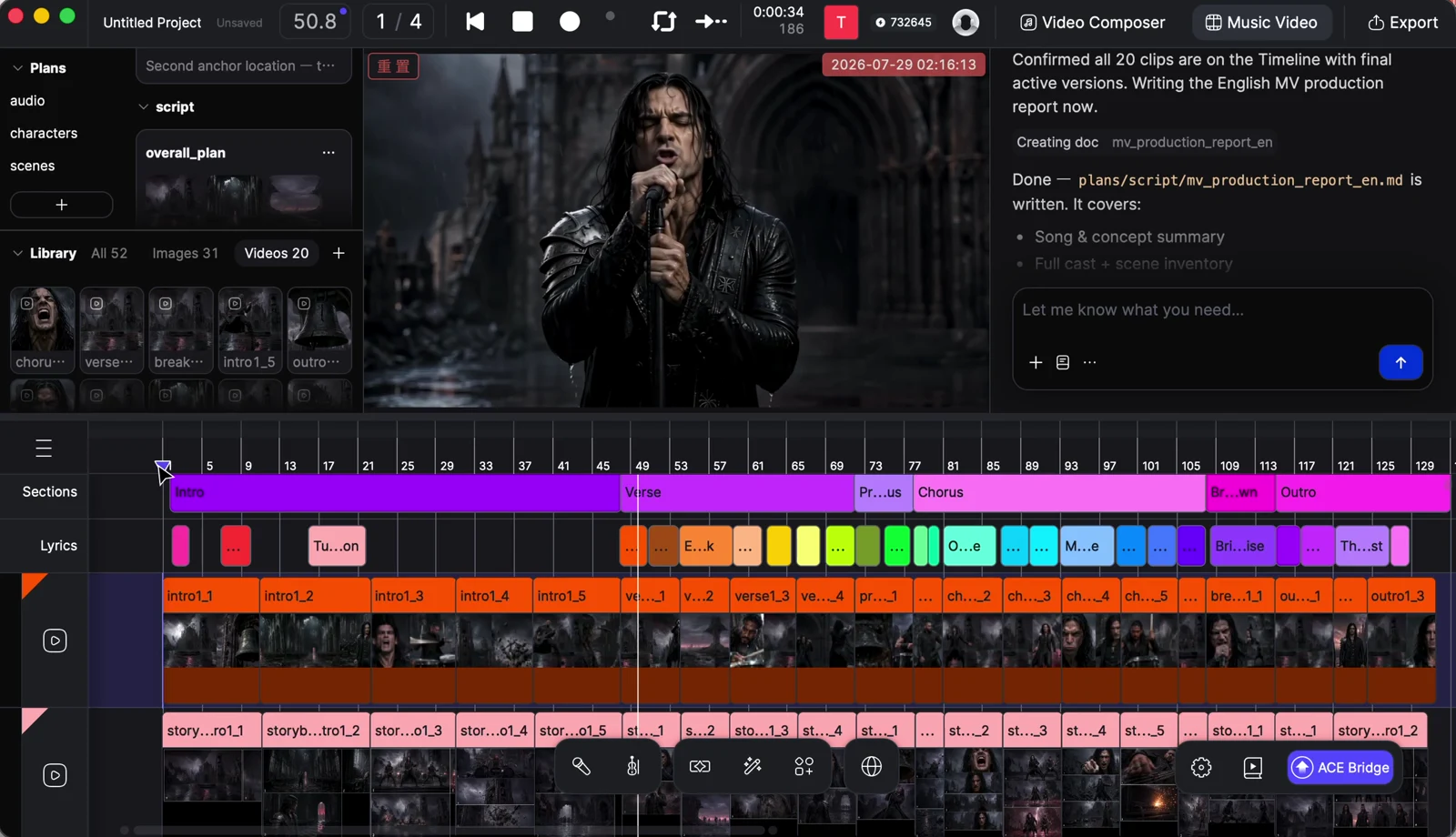
ACE Studio 2.0 is closer to a creator workstation than a one-click generator
The Canvas uses a track-and-timeline workflow for audio, MIDI, vocals and AI-generated material. For producers already comfortable with DAWs, that is a more familiar model than a prompt-only web app.
The features that matter most
AI singing vocals remain the headline feature
ACE Studio generates vocals from MIDI and lyrics. Its current vocal pages advertise 140+ voices across eight languages, while the pricing page currently lists 160+ pre-made voices. The key advantage is editability: notes, lyrics, phrasing, pitch and expression can be changed after generation.
The performance can be directed in detail
ACE’s vocal-editing documentation covers pitch curves, vibrato, consonant timing, phrasing and emotional parameters. Current controls include Air, Falsetto, Tension and Energy, and ACE’s affiliate materials also document detailed Breath, Phoneme and Dynamic editing.
MIDI-driven instruments use performance modeling
ACE Studio’s AI Instruments generate performances from MIDI rather than relying only on conventional sample playback. The company states that its pre-made instruments are licensed and royalty-free, and Sound On Sound called the underlying approach particularly interesting.
Video scoring and SFX are built into the timeline
Video Composer analyzes imported video and can generate music or sound effects for the whole video or a selected range. Generated clips are placed on the timeline for further editing. ACE’s docs currently label Video Composer as beta.
ACE is moving from sound generation into complete visual workflows
ACE markets its Music Video Generator as an AI agent that can help move from a song to concept, script, characters, storyboard and generated scenes. This is a larger, credit-intensive workflow than basic vocal synthesis, so creators should review current credit requirements before committing to a project.
DAW integration is available through VST3, AU and AAX
ACE Bridge 2 is designed to synchronize audio and MIDI between ACE Studio and a DAW. That is important because ACE’s own Canvas is useful, but independent review still characterizes it as less complete than a mature production DAW.
Can you use ACE Studio output commercially?
In general, yes — but read the model-specific exceptions.
What ACE Studio says
ACE Studio’s licensing documentation says the company does not claim copyright ownership over user-generated output. It allows commercial or non-commercial use subject to feature/model-specific terms. Most pre-made voices are royalty-free, all pre-made AI instruments are documented as royalty-free, and Video Composer music can be used commercially.
The important exception
Not every pre-made singer is license-free. ACE Studio identifies certain third-party voices that require a separate license from the original provider. Users are also responsible for having the rights to any lyrics, audio, stems, video or voice material they upload.
ACE Studio pricing and the credit system
Pricing changes, so verify the checkout page before paying. The figures below reflect ACE Studio’s public pricing page when this review was updated.
Artist
Billed yearly under ACE Studio’s current rent-to-own offer.
- 160+ pre-made AI voices listed on current pricing page
- 40+ AI instruments
- 1 Vocal Synth cloning slot
- 1 Voice Changer cloning slot
- 2,500 AI credits per month
- Music/SFX Generative Kits, Music Video, Video Composer and Stem Splitter access
Artist Pro
Billed yearly under the current rent-to-own offer.
- 160+ pre-made AI voices listed on current pricing page
- 40+ AI instruments
- 5 Vocal Synth cloning slots
- 10 Voice Changer cloning slots
- 5,000 AI credits per month
- Same broader AI tool categories with higher included capacity
AI credits matter more than the headline subscription price
ACE Studio’s support documentation currently lists several credit-consuming actions: Inspire Me uses 15 credits, Add a Layer uses 20, Advanced Stem Splitter uses 60, Video Composer music generation uses 100, and Video Composer SFX uses 10. Music Video generation has its own credit pricing. Artist includes 2,500 base credits per month and Artist Pro includes 5,000.
That does not make the credit model automatically bad, but it does mean heavy users of video and generative features should estimate their usage before choosing a plan. The public complaints we found are concentrated around this issue rather than the core vocal editor.
Outside reviews tell two different stories
John Walden’s ACE Studio 2 review was broadly positive about the vocal synthesis and described the AI instrument approach as promising. The review also noted that the Canvas was not yet a full DAW replacement and that the generative-music side still had room to mature.
Trustpilot feedback was much more negative overall. Frequent complaints focused on annual billing, the lack of a conventional free trial, credit costs and support experiences. Some reviewers still praised the software’s vocal realism and production capabilities. Review-platform feedback is self-selected and should not be treated as a controlled product test, but the recurring billing/credit complaints are worth knowing before purchase.
What you need to run ACE Studio
Who ACE Studio makes the most sense for
ACE Studio is most convincing when you treat AI as an editable performance tool
If you want a controllable AI vocalist, MIDI-driven instrument performances, voice tools and AI-assisted video scoring in one environment, ACE Studio has a legitimately broad feature set. If your priority is a mature DAW or unlimited generative output for one flat fee, its workflow and credit model deserve closer scrutiny before you commit.
ACE Studio review FAQ
Is ACE Studio free to try?
ACE Studio currently documents a 7-day money-back guarantee for eligible personal Artist and Artist Pro purchases/subscriptions. Sound On Sound’s March 2026 review noted that there was no conventional limited-time free desktop trial at that time.
Can ACE Studio vocals be used commercially?
Most pre-made AI voices are documented as royalty-free for commercial use, but ACE Studio lists some third-party voices that require a separate license. Always check the voice’s license status before commercial release.
Does ACE Studio own the music I make?
ACE Studio’s current license documentation says it does not claim copyright ownership over user-generated output, subject to model-specific terms, third-party services and your responsibility to have rights to the material you upload.
How many AI voices does ACE Studio have?
ACE Studio’s current pricing page lists 160+ pre-made AI voices. Its dedicated singing-voice page currently advertises 140+ voices across eight languages. The library is actively updated, so the exact count may differ by page and plan.
Does ACE Studio use credits?
Yes. Several generative features use AI credits. Artist currently includes 2,500 base credits per month and Artist Pro includes 5,000. ACE Studio publishes per-feature credit usage in its support documentation.
Is there an AppStock ACE Studio promo code?
Yes. Use code APPSTOCK to get 5% off your first ACE Studio payment.
How this review was researched
This page is an editorial review based on publicly available ACE Studio product pages, current pricing/support documentation, ACE Studio licensing terms, independent coverage from Sound On Sound, public user feedback and product materials supplied to AppStock through the ACE Studio affiliate program. AppStock has not independently benchmarked every ACE Studio feature or every AI model.
- ACE Studio official product site
- ACE Studio pricing
- ACE Studio license & copyright documentation
- ACE Studio AI credit documentation
- ACE Studio 7-day money-back guarantee
- ACE Studio system requirements
- ACE Bridge 2 documentation
- Sound On Sound: ACE Studio 2 review, March 2026
- Trustpilot public user reviews